When it comes to optimizing your gaming setup, one crucial aspect to consider is the distance at which you sit from your monitor. Finding the sweet spot can significantly impact your gaming experience, but how do you determine the ideal distance for you? Factors like screen size and personal visual acuity come into play, but there’s more to it than just that. By understanding the science behind the ideal distance, you can enhance your gameplay and comfort levels. So, how exactly should you position yourself for the best gaming performance and overall well-being?
Importance of Proper Distance
To prevent eye strain and maintain optimal visual focus, sitting at the correct distance from your gaming monitor is crucial. When you sit too close to the screen, your eyes have to work harder to focus, leading to discomfort and potential long-term issues. Conversely, sitting too far away can cause you to hunch forward or squint, straining your eyes and neck.
By positioning yourself at the ideal distance from your gaming monitor, which is typically around 20 to 40 inches away, you can enjoy a more comfortable and immersive gaming experience. This distance allows your eyes to relax and focus naturally on the screen without having to overexert themselves.
Moreover, sitting at the correct distance can also enhance your gameplay performance. When you’re positioned optimally, you can see the entire screen without having to constantly adjust your posture or strain your eyes to view different parts of the display. This can lead to improved reaction times and overall gaming efficiency.
Factors Influencing Distance
Factors such as screen size, resolution, and personal visual acuity play a crucial role in determining the ideal sitting distance from your gaming monitor.
The screen size of your monitor is a significant factor to consider. Larger screens typically require you to sit farther away to encompass the entire display in your field of vision without causing strain. On the other hand, smaller screens may necessitate you to sit closer to see details clearly.
The resolution of your monitor also impacts the distance you should sit from it. Higher resolutions allow for closer viewing without losing image quality, while lower resolutions may require you to sit farther back to avoid pixelation.
Your personal visual acuity, including any corrective lenses you may wear, influences how near or far you should be from the screen for optimal viewing. Considering these factors will help you determine the most suitable distance to sit from your gaming monitor, enhancing your overall gaming experience.
Recommended Distance Guidelines
For optimal viewing comfort and eye health during gaming sessions, it’s essential to adhere to recommended distance guidelines from your monitor. The ideal distance for most gamers is typically around 20 to 40 inches away from the screen. Sitting closer than 20 inches can strain your eyes due to the screen’s brightness and the need for constant focus adjustments. On the other hand, sitting too far away, beyond 40 inches, may cause you to squint or hunch forward, leading to discomfort and potential back issues over time.
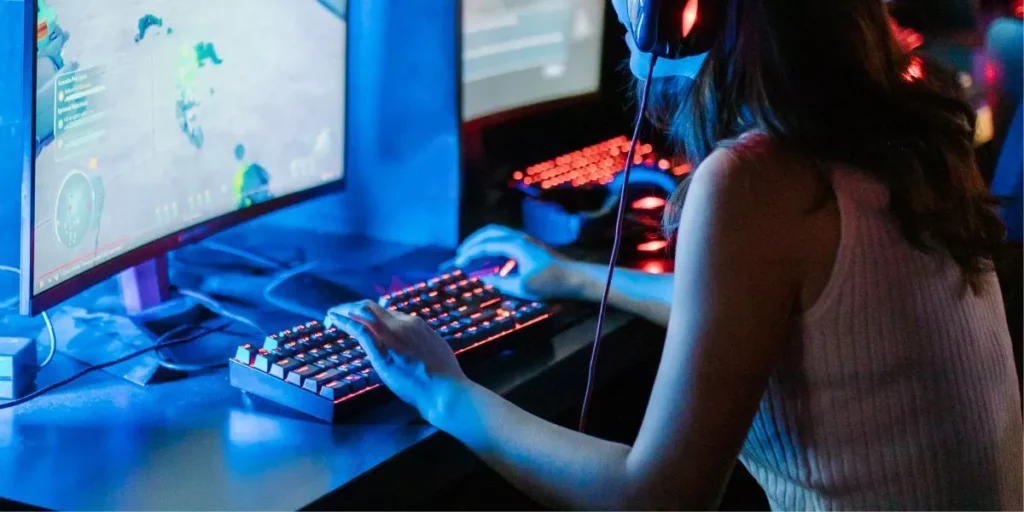
To determine the best distance for you, start by sitting back in your chair with your back fully supported and your feet flat on the ground. Your eyes should be level with the top of the monitor, and you should be able to see the entire screen without having to move your head too much. Adjust the distance until you find a position that feels comfortable and allows you to game for extended periods without straining your eyes or body. Remember, finding the right distance is crucial for an enjoyable and healthy gaming experience.
Adjusting Your Setup for Comfort
Adjusting your setup for comfort starts with ensuring your chair supports your back and your feet are flat on the ground. The angle between your thighs and torso should be slightly open to promote better blood circulation. Position your gaming monitor at eye level to reduce strain on your neck. Adjust the monitor’s distance so that you can comfortably view the screen without leaning forward. Proper lighting is essential to prevent eye strain, so position your monitor away from direct light sources or use curtains to control glare.
Additionally, organize your gaming station to keep frequently used items within arm’s reach. Use a wrist rest to maintain proper hand positioning and reduce the risk of strain. Keep your keyboard and mouse close to avoid overreaching. Adjust the monitor’s brightness and contrast to comfortable levels. Take breaks to stretch and rest your eyes to prevent fatigue. By following these adjustments, you can create a comfortable gaming setup that enhances your overall gaming experience.
Trending Products